Mario Nieto Harmony Bloom v1.3.9
|  |
Harmony Bloom
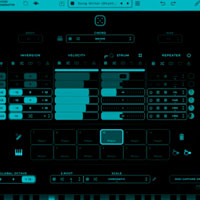
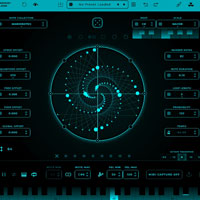
Create expressive melodies, hypnotic polyrhythms, and evolving sequences all visually, all in sync. For desktop and iPad.
VST3, AU, Standalone – Compatible with macOS, Windows & iPad. Works in all major DAWs.
Limitless MIDI.
Harmony Bloom is a MIDI generator that merges intricate polyrhythmic patterns with immersive visuals. Send its realtime MIDI output to any instrument and unlock endless musical possibilities as the graphics transform your creative flow.
Watch it in action.
Experience inspiring highlights from live sessions. Patterns, rhythms, and melodies all come to life instantly.
Explore more on the YouTube channel. Discover 100+ hours of live sessions featuring music creation with Harmony Bloom across every genre.
Make It Yours
Tweak, shape, and personalize Harmony Bloom. Create your own skins, save them, share them, make them yours.
Feature Highlights
A quick look at what makes Harmony Bloom shine.
Drag& Drop MIDI
Drop generated MIDI straight into your DAW for instant results.
Random Advanced Controls
Global and per‑control random buttons for instant, surprising variations.
Number of Notes
Choose from 2 to 82 notes to set the melodic density.
57 Note Collections
A curated palette of scales and note sets covering a wide sonic range.
Presets Library
Start fast with curated presets covering multiple genres.
Organic Patterns
Create evolving phrases that feel natural and human.
Scale & Root Selector
57 modes ensure every note fits your chosen harmony.
Custom Scales
Design and store unique scales for signature harmonies.
Spectator Mode
Watch patterns unfold in real time without editing distractions.
Use Input Notes
Enter any MIDI notes and let Harmony Bloom transform them instantly.
Keyboard Mode
Play from a MIDI keyboard to trigger, transpose or freely control sequences.
Grid Editing
Shape patterns visually on a flexible grid interface.
Quantized & Free Offset
Choose tight grid timing or free spacing — or blend both for hybrid grooves.
Probability Function
Trigger notes with a 0–100 % chance for evolving, organic rhythms.
Tempo Sync
Lock to your DAW BPM or run free‑run for experimental timing.
Random Velocity Generator
Set V.MIN/V.MAX, then randomise for human‑like dynamics.
Trigger Bars
Activate up to 8 bars around the circle to fire notes on each revolution.
Speed Offset
Positive values speed outward; negatives slow outward for stretched feels.
MIDI Learn
Map controls instantly to your hardware for hands‑on tweaking.
Preset Management
Save and share presets as files; recall setups in a click.
Full Support
Questions? Email Mario — every message answered personally.
Features & Requirements.
Harmony Bloom is available for desktop and iPad. Below you’ll find the supported plugin formats, operating systems and DAWs.
Plugin Formats
- Desktop: VST3 • AU • Standalone
- iPad: AUv3 • Standalone
Platforms Supported
- macOS 10.14 or newer (Intel & Apple Silicon M‑series)
- Windows 10 or newer
- iPadOS 14 or newer
DAWs Supported
All major DAWs, including: Ableton Live, Logic Pro, FL Studio, Cubase, Studio One, Bitwig, Reaper and more.
You may buy Mario Nieto Harmony Bloom v1.3.9 or download it from our website.
This product was released on 23 May 2026. Please check compatibility with your hardware and O/S.
Reviews
Write a Review
From: Your Review: Rating: |